How I design with AI
This is pretty much a bunch of thoughts that could’ve been bullet points but put together with more flesh.
I’ve been doing a lot of design work lately, not just on personal projects but at work too, and the thing I keep coming back to is that design isn’t something you one-shot. Sometimes you get lucky, depending on the task and model. But generally, anything that’s actually worth building takes more than two or three prompts. It takes work, especially from the human side, even if that work is just directing agents.
A lot of the complaints I see about AI outputs come down to people expecting miracles. And by miracles, I mean this: the biggest job you have when working with AI is providing context and giving it access to the tools it needs. Access is the easy part now, especially with how much open source is bubbling up. But context is the part most people aren’t patient enough to go deeper into. I suspect this is because providing context often requires entering rabbit holes yourself.
But you can’t eat your cake & have it
There’s a running meme about typing “make no mistake” into a prompt, but it says something real about how people actually use AI — you see it seeping into posts, into emails. Some people are too lazy to even remove the last line, where the agent is asking what you want to do next or what your preference is. If you aren’t interested enough to read the thing you just made, it doesn’t feel like you were intentional about bringing it into existence. And I understand that AI tends to be verbose, so reading the response can be a lot. But that’s where the human job is to set verbosity to low, or ask the agent to condense all the needlessly long story.
References come from you, not the agent
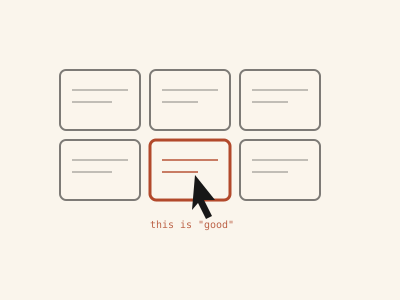
One of the things I do when designing with AI is provide as many references as I can. It’s tempting to outsource this because the agent has a browser tool, so surely it can just go find inspiration itself. It can. But an agent doesn’t have the soul to recognise what’s good design and what isn’t, so unleashing it onto the internet and expecting something high quality back is a problem. The first job is to be the one who defines what “good” looks like, and the way you do that is by feeding it references yourself. You’re pretty much training an intelligent minor.
Mobbin makes this easy now that they have an MCP since you just have to point the agent straight at it. UI libraries do the same job, and so do animation libraries like transitions.dev or icon and hover libraries like itshover. These are built by actual designers, but it’s your job to make sure those references are the starting point, especially when you aren’t a designer yourself. I built rge-cli for the same idea on the email side, so I could pull design references since there are already brands who’ve invested top dollar into what I’m trying to achieve.
Models also carry their own built-in habits — the purple gradients, the rounded corners, the sparkle icons that are suddenly everywhere. Impeccable works as a second judge for that, so you’re not the only one catching it, though you obviously still have to be involved. I pair it with Taste Skill, which helps curb those same built-in habits and defines how to actually apply whatever direction you’ve picked, brutalist, minimalist, whatever. I’ve only just started using both together, so I don’t have much insight to add yet beyond: no issues so far.
Building a content diet you rarely use
The easiest thing is exposing yourself to tools, even ones you’ll never touch again till God-knows-when. I sign up for a shit load of tools, apps and websites. And I’m still way behind Faruq in this department. You need a content diet to draw from if you want to be a good conductor when working with agents, rather than expecting the agent to drive you to a high-quality output. AI agents have close to infinite access to knowledge, but they still need narrow direction, the same way a human needs well-managed bandwidth. Educating yourself makes it easier for the agent to understand what you’re trying to do and what you expect of it.
Your agent can’t read your mind
A lot of people focus too much on prompt engineering, trying to master certain phrases or certain words, but honestly you just need to focus on talking to your agents. You don’t have to master a particular kind of framing, though this has its benefits. If it’s the actual vocabulary you’re stuck on, the words for what a design should feel like, Emil Kowalski’s skills are worth borrowing from — he’s built out a whole skill around the language of design and motion.
The sustainable way to keep doing this well is to raise your own calibre — keep improving what you know, and what you believe is possible. A lot of the time, the limit isn’t the agent not knowing what to do, or lacking in tools, but you not even believing the thing you want is possible in the first place. Which is a little ironic, because agents don’t sleep and they can’t fight you back or complain that you don’t know what you want. So it’s always surprising to see people shy away from giving as much context as possible — refusing to yap, basically. People try to be concise with the context they give instead of just letting the agent make sense of everything, and making sure they aren’t the bottleneck.
I remember building Handwriting Converter and updating the UI to what it is now. It took a whole weekend to get to the point I had in my head, partly because I was struggling to actually define the behaviour I wanted. At some point I stopped trying to make changes altogether and just went to check other websites, opening tabs, using the agent to pull inspiration from Mobbin, without touching the code. I’d see what I liked on a website and try to describe it to the agent. That went on for a while before I finally settled on the direction I wanted for the update. Luckily, both Claude Code and Codex’s computer use capabilities have gotten stronger, so you can just open a website and tell the agent to fetch the design/motion you’d like to have.
So, UI is the easy 10%
Excalidraw MCP is what I reach for before any actual design work starts. It lets your agents map out flows and the full lifecycle of whatever you’re building, as a wireframe, so you know exactly what you’re doing before you touch a single pixel.
Because the other mistake is starting with the UI instead of the UX. UI is easy to improve, so it’s the thing I do last — I don’t start caring about how something looks right from the jump. I care more about the flow: what the end-to-end experience is like, and building that first, before even thinking about what it should look like. In most cases, if you’re able to get the UX right, the UI will emerge from it. Things like payments fall under UX. And by the time the actual experience is done, you’ve usually finished at least 90% of whatever you’re building. The remaining 10% goes into updating how it looks to match the experience, which you can do at any point, and as many times as you want. But if you get the experience wrong from the start, a good UI on top of it isn’t worth much.
Zoho is one of the companies that get this.
— — (@heykastrah) July 25, 2025
First solve the UX because when that's done well, the product becomes relevant to users since you now know what they want to do and how they'd love to get it done.
It's also the same for @FamasiAfrica — system design is where the… https://t.co/Ar7NGuHwg6
Your agent needs habits, too
This is so underrated but you also want to set up workflows as much as possible. If today you’re going from X to Y to Z, and tomorrow you’re going from A to B to Z, it gets difficult to actually define what the behaviour should look like, especially when you consider that your agent is updating its memory every session. Agents benefit from compounding, not from starting fresh every time.
Of course, at the beginning you won’t have a set workflow to follow, but the more you build and the more you work with agents, the more it’s worth defining one. You don’t even have to define it yourself: after a session, or at the end of the day, ask the agent what workflow you should set up based on what you just did — one you don’t currently have that would improve the work going forward, or even improve existing workflows, if you already have one.
This is how I arrive at the skills simplifying my work. At the risk of sounding too definitive, it’s not a good thing to set out to build skills because it just quickly becomes the consultant who’s never stepped into the ring. But if you create skills from your actual work long enough, you’ll end up with workflows that truly fit how you work, because none of us work the same way. There’ll be some fundamentals and common ground, but there’ll also be differences. Having a workflow is what lets your style turn into a skill your agents can reuse later, so you aren’t starting from scratch or missing context every time.