On building CLI for Really Good Email
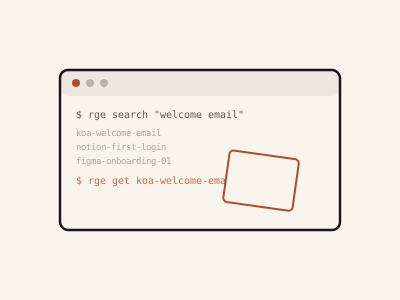
I had 10 tabs open on Really Good Emails for “welcome email” design inspiration, and I figured life couldn’t possibly continue this way. Because this happens every time I need to update email design: open the site, search, click into three or four that look close, copy the HTML by hand, close the tabs, and then do the same thing again until the next email needs a refresh.
I’d been using Mobbin’s MCP for product design inspiration for roughly two months now, and the difference for design inspiration has been obvious. Ask for a pattern and it’s just there, so I checked whether Really Good Emails had anything similar, but they do not; the API in their footer took me to this AI design generator, which I wasn’t interested in. So in the true “personal app” version, I quickly realised the way to get that same speed for emails was to build it myself.
TL;DR: install and first search
git clone https://github.com/kastrah/rge-cli.git
cd rge-cli
chmod +x rge
./rge search "welcome email"
Introducing Printing Press
Since Really Good Emails doesn’t have the API I needed, I turned to Printing Press. I’d seen earlier that you can use it to create CLIs for agents but I never had need for it. That changed after loading it up and using it to monitor the frontend that calls RGE’s internal endpoints, via Chrome DevTools.
Search for something, and a request to /api/emails shows up with search, limit, and offset as params. Open a result, and /api/emails/{slug} returns the full HTML. It’s the same principle as a market stall with no price list — the prices exist, they’re just not written anywhere. You watch a few transactions happen in front of you, and the pattern becomes obvious.
Aside: a question I’ve been asked before is why something like this — email design — wasn’t on Design’s table. Aside from us being a small team, my role puts me close to the customer, second to the Care team who do actual consultations and encounters. Handling the lifecycle experience, for example, means I often have to do the foundational build on things like this myself before handing them to the design team to polish further if necessary. Sometimes it’s the other way around, where Design works on it based on a Marketing request or use case and I make adjustments as required. The main focus is on improving the care experience, so there’s flexibility.
Failing the “one shot” dream
The API takes a category param. Pass one, and the response looks filtered — fewer results, seemingly the right ones. But it isn’t filtered. The server ignores category and tag entirely and returns the same unfiltered page regardless of what you send it.
Think of it like the bus conductor who nods when you tell him your stop, takes your fare, and keeps driving past it anyway. The nod wasn’t a lie exactly, but it wasn’t connected to anything. I only caught this by comparing a filtered request against an unfiltered one and noticing the result counts matched exactly. The fix was to stop trusting the server and filter client-side instead: pull the full page, then keep only the results whose categories[] array actually contains what I asked for.
Another quick reality check
get needs a slug — koa-welcome-email — to know which file to fetch. Search results carry one, but collection and saved-feed items don’t.
What they carry instead is a screenshot filename, and buried in that filename is the slug you actually need. So rge derives it from there. However, items with no screenshot have no filename to mine a slug from, which means they can’t be pulled at all — they just print as <no-slug> and get skipped. Not every email in your saved feed makes it into the CLI, and there’s no way around that: the API simply never gives you an ID for those ones.
But a moving man will meet his luck
saved is the one command that needs you logged in, because it’s tied to your account. The session cookie that proves that is httpOnly, which is deliberate on Really Good Emails’s part — it means no page script can read it, including any script of mine. The only way to get it is to look at it directly in the browser and copy it out by hand.
The README walks through doing that manually: DevTools → Application → Cookies → copy two values → paste into a file. That works, but I don’t do it that way anymore. There’s a Chrome extension called Get cookies.txt LOCALLY that exports the whole cookie jar for a site in one click — interestingly, this was part of why I built the tool, because other people have made life simpler for me. Where the manual method is queuing at the passport office yourself, the extension is sending someone who already knows the building to go grab it for you.
Life is green where you water
I still open Really Good Emails in the browser sometimes, mostly to browse without a fixed idea of what I want. But when I know roughly what I’m looking for, it’s rge search, then rge get, and the HTML is sitting in a folder I can hand straight to design or feed to an agent. The ten tabs and the copy-pasting are gone.
It’s a small tool built out of a habit I already had, pointed at an API that was never meant to be used this way. It’ll probably break the day Really Good Emails changes those endpoints, and when it does, I’ll open DevTools again and go find out what changed. Hopefully, they won’t ban my account.
Cheers 🥂