On LLMs and choosing the right harness
I’m on cmux a lot right now, but before this, I tried Trae, Windsurf, Cursor, Antigravity, OpenCode, Codex, Claude Code, and Superset.
One thing I’ve realised is that, for some reason, the same model behaves differently in varying harnesses, so the tool you’re using determines what you get.
Part of the reason, at least based on official docs, is that the model is rarely the whole product. Anthropic documents that Claude.ai has its own system prompts that get updated over time, that tool use adds an extra tool-use system prompt plus tool tokens, and that Claude Code subagents can run with different prompts, tools, and context windows.
OpenAI’s docs also make clear that behaviour changes with the system message, prompt version, and tool configuration. So when two harnesses say they’re using the same model, they’re often wrapping it in different instructions, tools, permissions, and latency trade-offs. Here’s what I mean, based on my experience.
Claude
Claude is really good for end-to-end tasks. When I need to go from a suggestion to actual execution, it’s my first choice.
I typically start my Boring Tasks projects with a dump in chat, and then make sense of it, curate the scope, research, etc. However, since moving to Claude Code, I’ve been surprised by the many unnecessary tool calls that slow down output.
But then I tried Superset chat, and all of a sudden, the same model runs almost as fast as Kimi K2.5 in OpenCode. This was where I started really understanding harness behaviours.
For writing, Claude is strong, but it takes some work to pin it to a tone. I use my custom Humaniser to keep it grounded. Even then, I still have to point out where Claude ignored instructions. In contrast, Kimi K2.5 sticks to the brief better, even if the writing isn’t quite as sharp, so it’s sometimes a trade-off game. Or a cycle between the two.
For front-end design though, Claude Opus 4.6 is solid. I pair it with MiniMax 2.7 for implementations while avoiding Codex for front-end work, at least till further notice.
Antigravity
The design workflow here is unlike anything else. You drop in a URL, and it pulls the styles directly from the site. For copying or adapting designs, it’s fast and effective.
Part of what makes that possible is that Google positions Antigravity as more than an editor. In its own write-up, the product is described as an agentic development platform where agents can work across the editor, terminal, and browser, then report back through artefacts like screenshots and browser recordings. That matters for design because the browser is part of the loop, not just the code editor, so visual work feels much more native there than it does in a lot of other tools.
But for logic and back-end coding? It’s not so strong. Even the Claude models behave differently here, and I’ve cancelled my sub at least twice. What brings me back is the need to use Google Flow, which I shall now be replacing with Luma.
OpenCode + Kimi K2.5
I like OpenCode’s UX where the input field is centred, unlike Windsurf and Cursor. But most important are the open source models.
Kimi inside OpenCode (via Zen and Go subscription) is faster than the direct API, which I got for my OpenClaw agent. Beyond being faster, it’s also token-efficient and there’s no drop in performance.
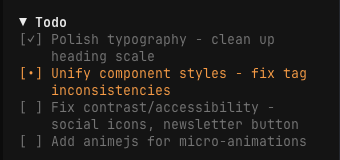
There’s also a tiny delightful experience in the CLI where, to copy a text, you only need to select it and it’ll be saved to your clipboard.
You get more room to work with, too. OpenCode Go is currently $10 a month and includes a five-hour limit equivalent to $12 of usage, while Zen gives you pay-as-you-go access with monthly usage caps if you’d rather control spend that way.
Kimi K2.5 has been perfect for the marketing work I largely use it for. I’ve found it strong for brainstorming, copywriting, and brand work because it holds a tone better than other open source models I’ve tried, and follows instructions better than Claude in my experience.
Codex
For backend engineering and logic, Codex is unmatched. This is undisputable tbf, and if you disagree, you’re simply capping.
I use it for every backend implementation, especially since I’m not a software engineer. The amount of times it’s corrected Claude’s overzealousness is funny at this point.
I also tried powering my personal agent with GPT-5.4 mini, and it was a big culture shock of an experience because I’ve typically used Kimi K2.5 and MiniMax 2.5. Both are really chatty and have personality, but don’t have that get-it-done energy that Codex brings to the room.
For this job, that’s perfect because I’m not looking for a friend. GLM5 is similar here as well, but I’m having to ask the agent to check the knowledge base when it provides a response I’m sure isn’t accurate based on context I’ve provided. In contrast, GPT-5.4 mini seems to know it should verify without being told.
Claude Code or Codex
If you’re already deciding between Claude Code and Codex, you’re probably past the casual-user stage, so the better question is less “which one wins?” and more “how do I use both without going broke?”
The practical answer is to think in layers. Anthropic’s official pricing still puts Claude Pro at $20 a month in the US, with local currency pricing varying by region and by mobile app store. For Nigerians, it’s worth checking the App Store or Play Store pricing directly because local billing can work out better there. Cursor and Windsurf Pro are currently $20 a month, so there are real cases where using one of them as the editor layer plus Claude Pro as the chat layer makes more sense than stacking everything at once, especially since Claude Pro works with Claude Code while ChatGPT Go doesn’t unlock Codex.
My own bias is still that Codex models work best in Codex. But if the goal is to stay productive without burning money, it helps to separate “best possible environment” from “good enough environment with useful overlap”. I’d also be careful with pay-as-you-go setups like OpenCode Zen if you plan to run Claude or Codex-heavy workflows there a lot, because usage can disappear faster than you expect.
If you’re running subagents, you also don’t need premium models for everything. Split by task severity instead. The harder judgement calls can go to the expensive models, while repeatable agent loops can sit on cheaper options that are still good enough.
Windsurf
I haven’t used it seriously in a while. When I did, it felt better than Cursor for design and implementation, but Cursor has caught up since you-know-who took the Windsurf team.
Now, I mainly use the SWE-1.5 model to make tiny edits, or when I run out of credit across other places.
MiMo-V2-Pro
I just started with MiMo-V2-Pro, so take this with a grain of salt. I switched from Kimi for a brainstorming session and didn’t feel a gap in performance.
It handles reasoning well, and its logic is stronger than the Gemini models in my experience so far. Whether it holds up for brand work like Kimi does, I’ll need more time to say. For now, I’m still biased towards Kimi because I’ve used it more.
Mistral: The dark horse
Everyone talks about GPT, Claude, or the newer noise around MiniMax, Kimi, and GLM. But for copywriting, concise communication, and brand work, Mistral is the quiet standout.
I’ve only used Mistral’s web interface, but it delivers when I need clear copy variations because it doesn’t overcomplicate things. My biggest issue with Claude is that it’s always super excited, whether in writing code or copy. On the other hand, Mistral feels more human in its simplicity, which always surprises me given how many people overlook it.
I don’t use Mistral for heavy coding or logic, so I’m not sure how it performs there, but it’s definitely strong with chat and text. I’m also loving their new canvas feature because you can edit text documents directly like you’d do in Google Docs and it auto-saves, which I’d say makes it an even better fit for writers and marketing teams.
Some tips: a practical harness playbook
1) Match the harness to the task
- Coding/backend: Codex (logic and engineering depth)
- Front-end/design: Antigravity (DOM-style workflows) or Claude Opus 4.6 in Claude Code (implementation quality)
- Copywriting/brand: Kimi (tone retention) or Mistral (clear, concise wording)
- Agents: GLM5 and GPT-5.4 mini (execution-focused), MiniMax 2.5/2.7 and Kimi K2.5 (more personality)
2) Test the same model in different harnesses
Example: Claude in Superset chat can feel faster than Claude Code because of tool-call overhead.
Run the same prompt in 2-3 tools and compare speed, accuracy, and output style.
3) Prioritise workflow fit
- UI flow: centred chat (OpenCode) vs sidebars (Cursor/Windsurf)
- Integrations: does it plug into your existing stack?
- Customisation: can you tune behaviour for your setup? (e.g., cmux, Codex CLI)
4) Balance speed and precision
- Speed: Superset (Claude), OpenCode (Kimi)
- Precision: Codex (backend), GPT-5.4 mini (verification behaviour)
- Hybrid: MiMo-V2-Pro (logic + reasoning)
5) Watch hidden costs
- Token efficiency: Kimi in OpenCode may be more efficient than direct API usage
- Latency: excessive tool calls can slow down output
- Limits: compare real usage caps, not just headline pricing
6) Ignore benchmarks; test in your own workflow
Example: Gemini in Antigravity does not behave the same as Gemini in Windsurf.
Validate with real tasks from your own pipeline, not synthetic benchmark prompts.
7) Try underrated tools
- Mistral: excellent for concise, human-sounding brand copy
- GLM5: lightweight option for agent-style execution
- MiMo-V2-Pro: strong logic and less chatty output
The harness is the product
A great model in a bad tool is a Ferrari engine in a broken car.
Pick the harness like you’d pick the car.
Anyways…
Gemini in Antigravity does things Gemini in Windsurf doesn’t. Claude in Superset chat responds faster than Claude in Claude Code. If you’re picking tools based on benchmarks instead of real-world use, you’re setting yourself up for surprises. I’ve been surprised more than once, and that’s what this post is really about.
Cheers.